

Self-serve returns now support cancellations
Buyers can now request order cancellations through self-serve, in addition to requesting returns. You can set cancellation rules alongside your return rules.
Both return and cancellation rules are configurable per market. A default policy applies storewide, with the option to add market-specific rules that override it for individual markets.
This enables merchants selling in the EU to offer a withdrawal policy—from order placement until 14 days after the last item is delivered—without affecting rules elsewhere. The return window can also be extended to avoid ending on a weekend or holiday.
Learn more about self-serve cancellations and how they support the EU right to withdraw regulation.
Meeting EU right of withdrawal requirements
If you sell to consumers in the European Union, then EU Directive 2023/2673 requires you to give customers an easy electronic way to exercise their 14-day right of withdrawal. The directive takes effect on June 19, 2026. The withdrawal period is measured from the date that the last item in the order is delivered.
For background on the directive, the cooling-off period, and which businesses are required to comply, refer to EU right of withdrawal compliance for merchants selling to EU customers.
https://help.shopify.com/en/manual/fulfillment/managing-orders/returns/return-rules
To meet the directive, customers need to be able to withdraw at any point before delivery and for 14 days after delivery. Configure the following settings:
- Turn on self-serve returns and cancellations, and select Return and cancel requests so that customers can submit both return and cancellation requests.
- Turn on cancellation rules, and set the cancellation window to Until item is fulfilled, so that customers can cancel any time before items ship.
- Set your return window to at least 14 days, and set Starting from to Delivery of last item in order, so that customers can return their order after the final item is delivered. Also select Extend to account for weekends or holidays, so that if the last day of the return window lands on a weekend or holiday, the window extends to the next business day.
- Add a visible link to your store so that customers can reach both actions. For more information, refer to Adding the customer accounts URL to your online store.
- If you want different rules for the EU than for other regions, then set up a market-specific policy. For more information, refer to Set different return and cancellation rules per market.
If you want to give customers an even clearer entry point, then you can add a menu item to your store’s navigation that links directly to their account or orders page. To do this, go to Content > Menus in your Shopify admin, add a menu item with any label that you choose, and link it to the orders page within customer accounts. You can set a different menu for each market-specific storefront, so you can show this withdrawal entry point only to customers in the markets where you need it, such as the EU.
For EU orders, refunds need to be issued within 14 days of the cancellation request under the directive, so process EU requests promptly.
Using these tools doesn’t automatically make your store compliant. Compliance depends on your full setup, your products, and the markets that you sell to. Review your setup with a legal advisor to confirm that it meets your obligations. For more information, refer to EU right of withdrawal compliance for merchants selling to EU customers.
Set cancellation rules for buyers, alongside your return rules – both now configurable per market – to enable EU-specific policies in response to changing right of withdrawal regulations.
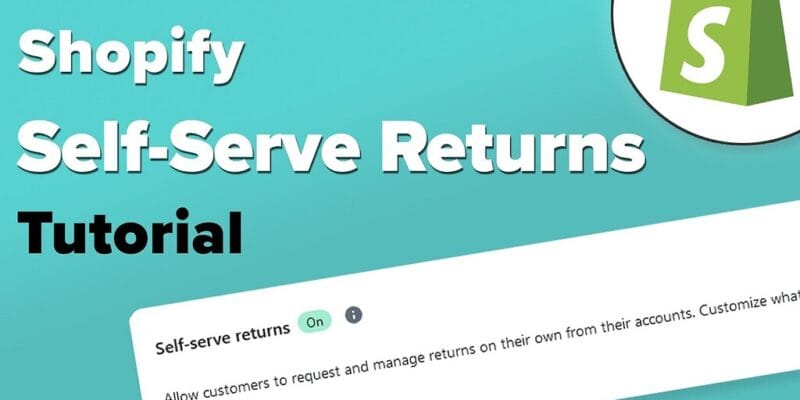
The tutorial covers a high-level overview of:
- Activating the self-serve feature in the Admin
- Creating the return rules and Policy
- Activating the new customer accounts
- Requesting a return as a customer
We hope this helps for the Europe Shopify merchants/store owners!
Shopify has launched the new self-serve returns features! Customers can now request returns right from the Accounts page and configure return rules. We’ve created a handy video to help you configure and use the new features. The video is live on YouTube:
We’re excited to announce that as of February 7th customer self-serve returns has launched to all Shopify merchants!
With self-serve returns, you’ll be able to offer your customers the freedom to request a return for some or all of the products in their online order. You can now accept and reject return requests, keep your customers informed about their return’s status, and track their return reasons.
To set up a self-serve returns experience, you will first need to activate it in your Shopify admin.
- Go to Settings > Checkout and accounts.
- In the Customer return requests section, select Allow customer return requests.
- Click Save.
Once activated, customers can access the return flow from wherever you place the customer accounts URL.
You can also access our Help Center to learn more about how to activate this feature in your store.
If you’re looking to learn more, our How to ace returns management with Shopify blog post provides more detail on this solution and best practices on implementing a returns process with Shopify’s built in tools.
For this setup and solution or questions/queries for Europe shopify merchants/ store owners contact support@briskdevelopers.com or Certified Shopify Partner – Brisk Developers Team